
From 1 July 2026*, the Medicare Assignment of Benefit (AoB) process will undergo a major digital transformation, supported by legislative changes and the need for more secure and efficient healthcare billing. Assignment of Benefit (AoB) refers to the process by which a patient authorises Medicare to pay their benefit directly to the healthcare provider, rather than reimbursing the patient.
In Bp VIP.net, new radio buttons have been included to indicate Implied or Requested Assignment of Benefits for IMC claims, and the DB4 Bulk Bill Assignment of Benefit Agreement form has been updated to include the new required fields.
IMPORTANT *The Government has revised the Assignment of Benefit transition timeline, as published here. See Assignment of Benefits FAQs for more information.
NOTE For more information see the Australian Government Department of Health, Disability and Ageging (DoHDA) website.
Implied (I) or Requested (R) Assignment of Benefits
In Bp VIP.net Topaz SP4, radio buttons in the Provider Setup and In-Patient Medical Claims screens have been introduced to indicate Implied or Requested Assignment of Benefits for IMC claims.
| Assignment of Benefit | Work Type | Definition |
|---|---|---|
|
Implied (I) |
If the Work type is Scheme/Contract (SC) or Agreement (AG), then the default Assignment of Benefit value is Implied (I). |
Implied assignment applies if a health professional has an agreement with an insurer (e.g., Medical Purchaser Provider Agreement or Gap Cover Agreement) and it applies to the service assigned/to be assigned. The terms of each insurer agreement may vary depending on each insurer and health provider. |
|
Requested (R) |
If the Work type is None, the default Assignment of Benefit value is Requested (R). |
A Requested assignment (R) may be required:
|
Assignment of Benefit for In-Patient Medical Claims
Implied or Requested Assignment of Benefit radio buttons are set as defaults in the Private Fund Details section of the Provider Setup screen and used in the In-Patient Medical Claims screen.
To view the Assignment of Benefit default value for a Health Fund:
- Go to Setup > Providers > This Clinic.
- Select the Provider record to edit and click Modify.
- Select the Online tab.
- Select the Private Fund you wish to view contract details for.
- Click Modify.
- The Private Fund Details screen will open for the selected Health Fund.
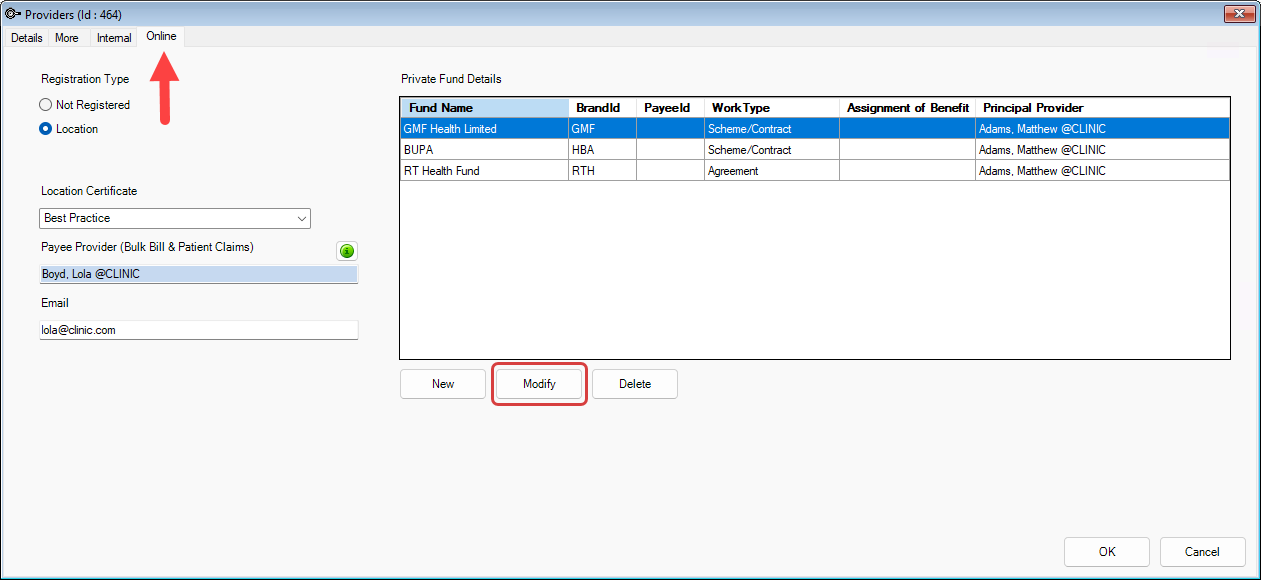
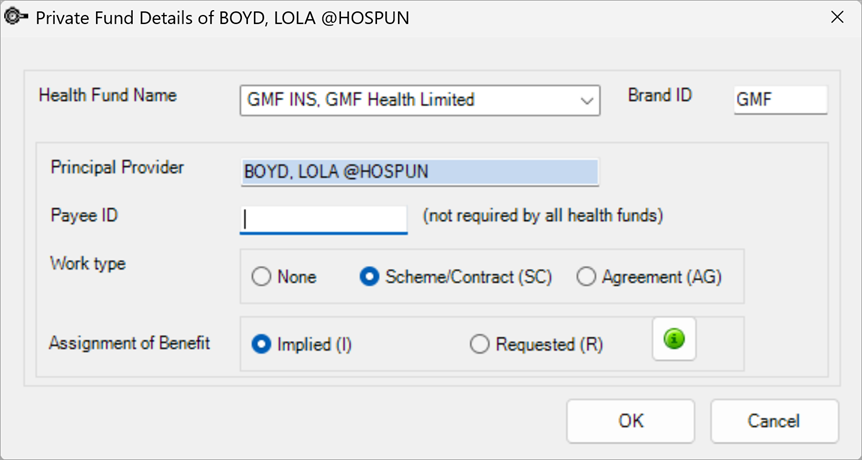
Defaults set in the Private Fund Details screen per provider will be used in the In-Patient Medical Claims screen when sending claims.
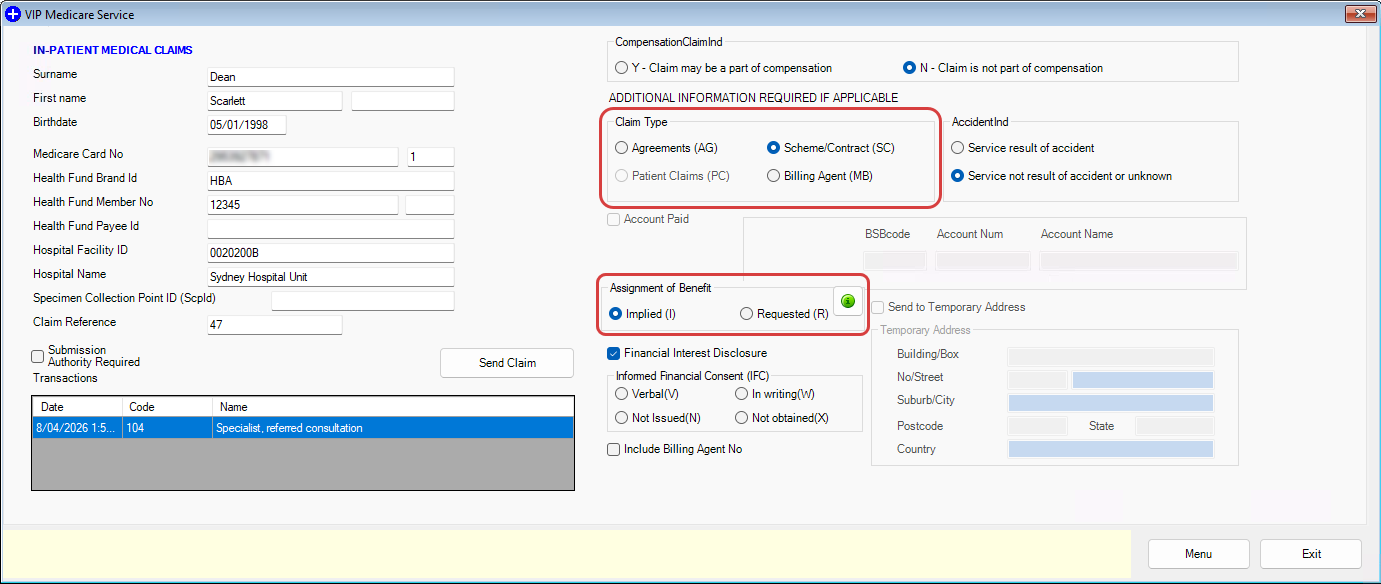
If no Assignment of Benefit options is selected when clicking Send Claim a warning will appear to prompt the user to make a selection.
NOTE When the Claim Type is Patient Claims (PC) the Assignment of Benefit options will be unchecked and disabled.
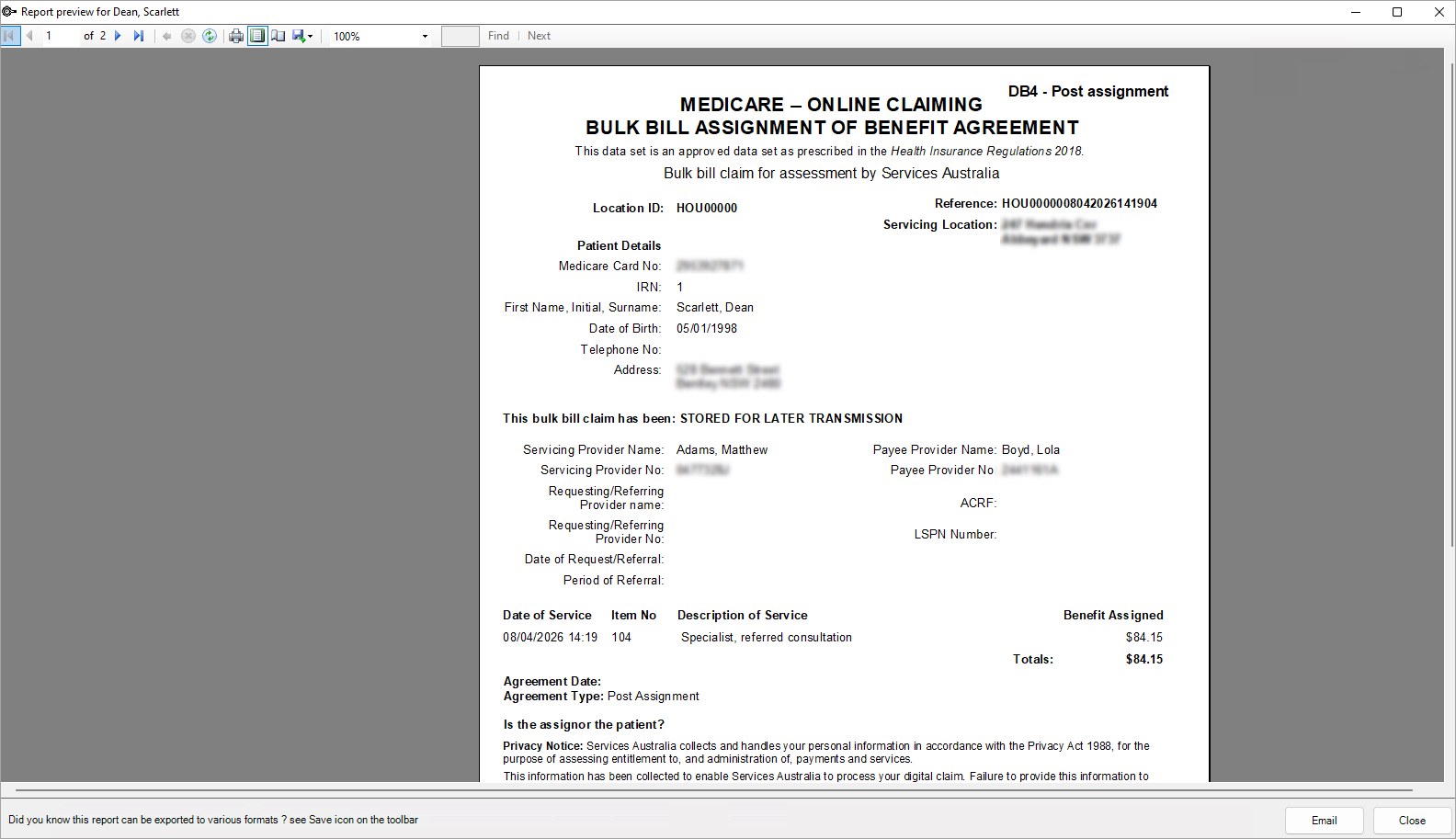
Updates to the Assignment of Benefit DB4 printed form
The existing DB4 Bulk Bill Assignment of Benefit Agreement form has been updated to include new required fields including:
- Updated Form Identifier and Header
- Agreement Date field
- Is the assignor the patient? field
- Updated Privacy Notice.
Bulk Billed consultations with Print Form (0) on the Consultation screen ticked will launch the Report preview screen for the form when finalising the invoice.
Sending Batched Bulk Bill Claims
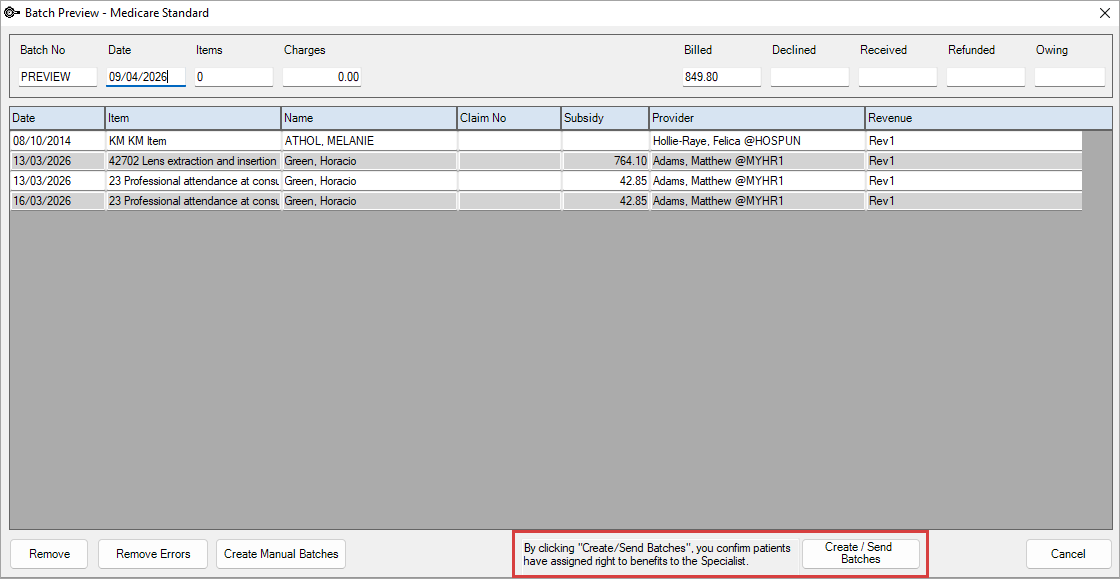
The Batch Preview screen (accessed from File > Accounts > Subsidiser Batching) will display a disclaimer when the Create/Send Batches button is clicked to prompt the user to confirm that by clicking Create/Send Batches, they have ensured that the patients included in the batch have given consent to assign their Medicare benefits to the specialist.
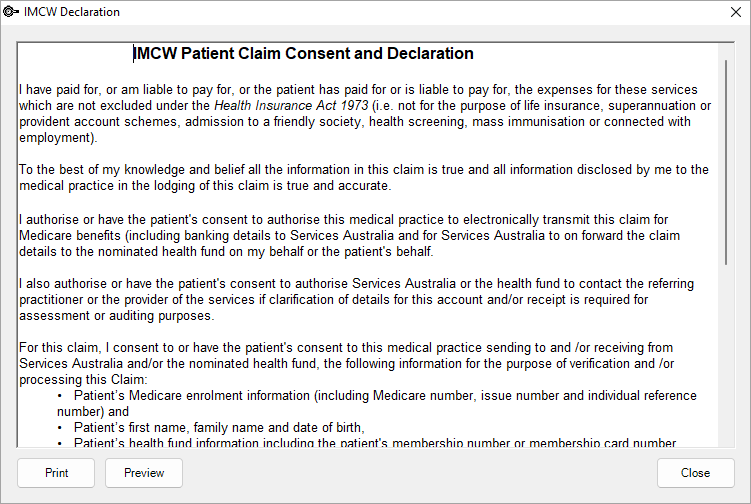
IMCW Patient Claim and Consent Declaration
When sending IMC-PC claims the IMCW Patient Claim and Consent Declaration has been updated with new wording in compliance with the Assignment of Benefit reforms from Services Australia.
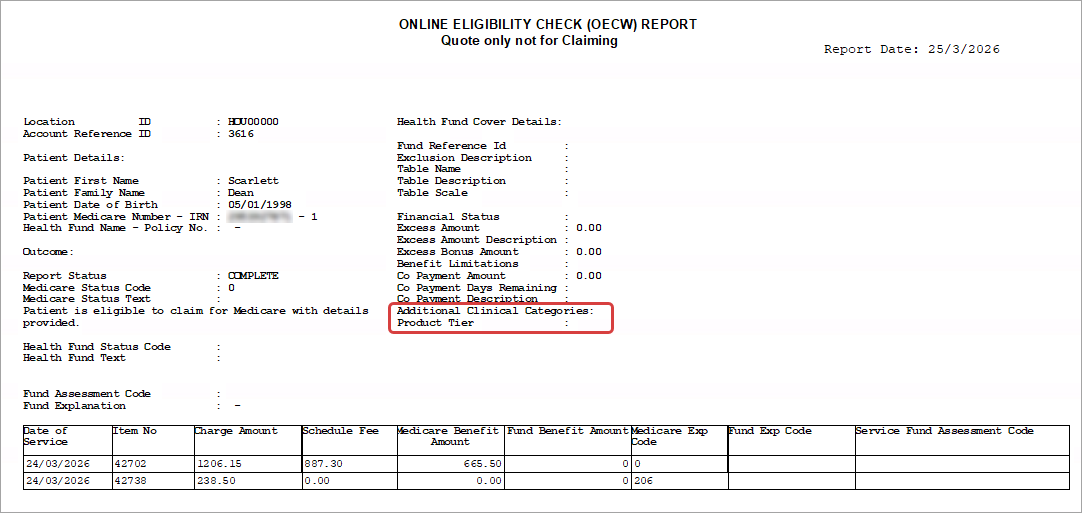
Online Eligibility Check (OECW) Report Updates
The Online Eligibility Check (OECW) Report has been updated to include two new fields in compliance with the Assignment of Benefit reforms:
- Additional Clinical Categories
- Product Tier.
Last modified: 30 June 2026



 AU
AU  support@bpsoftware.net